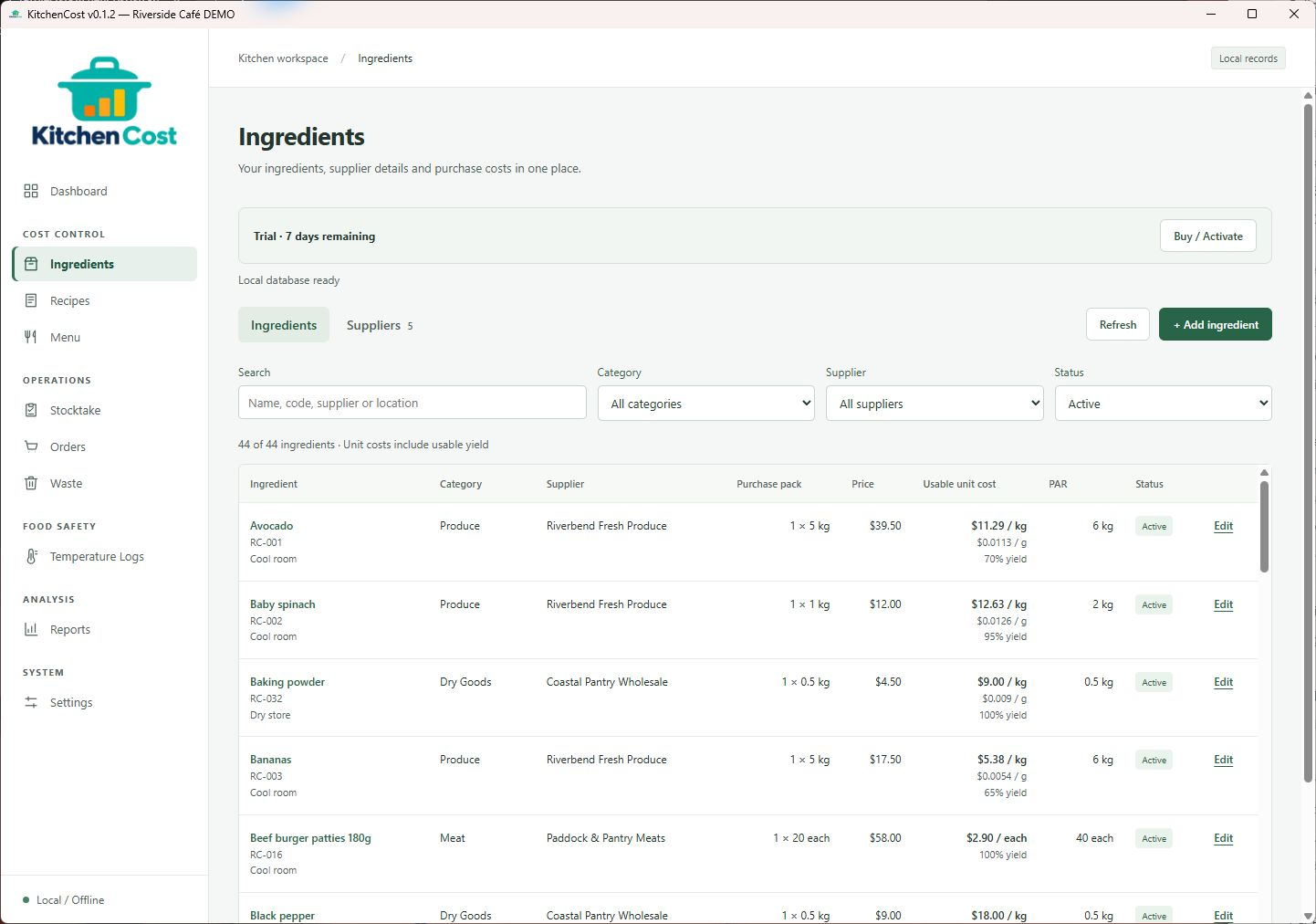
Ingredients & suppliers
Understand your usable ingredient cost
Compare supplier purchase prices, pack sizes and yields. Usable costs give your recipes a consistent starting point.
KitchenCost v0.1.2 · Windows desktop
From the ingredients you buy to the dishes you serve. KitchenCost brings food costing and everyday kitchen operations into one practical desktop application.
Windows x64 required · No payment needed for the trial · v0.1.2
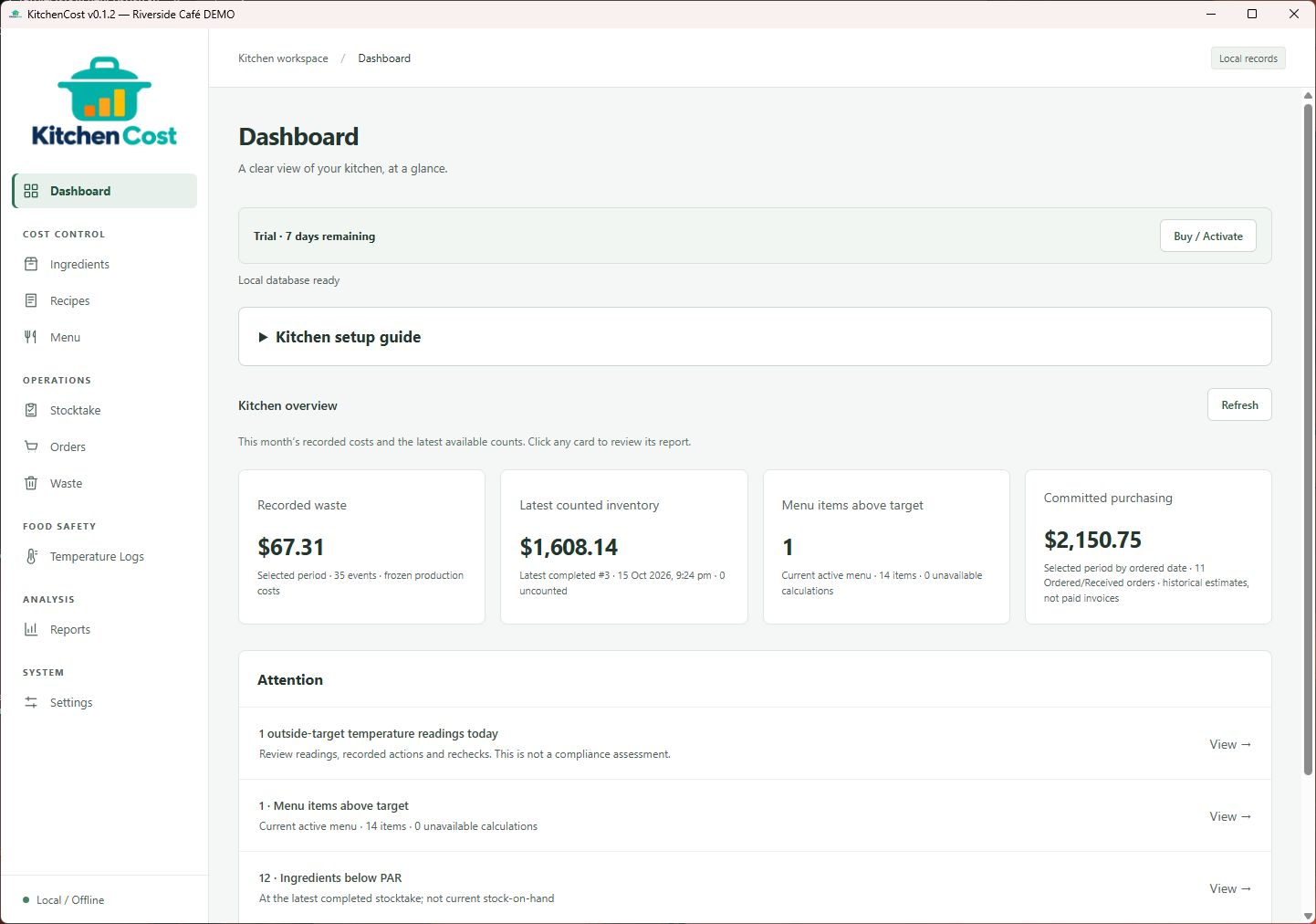
Inside KitchenCost v0.1.2
These are genuine screens from an isolated Windows demonstration of KitchenCost v0.1.2. Riverside Café, its suppliers and all records are fictional.
Swipe or scroll sideways to explore the screens. Keyboard: focus the gallery and use the left and right arrow keys. Select any screenshot to open it full size.
Ingredients & suppliers
Compare supplier purchase prices, pack sizes and yields. Usable costs give your recipes a consistent starting point.
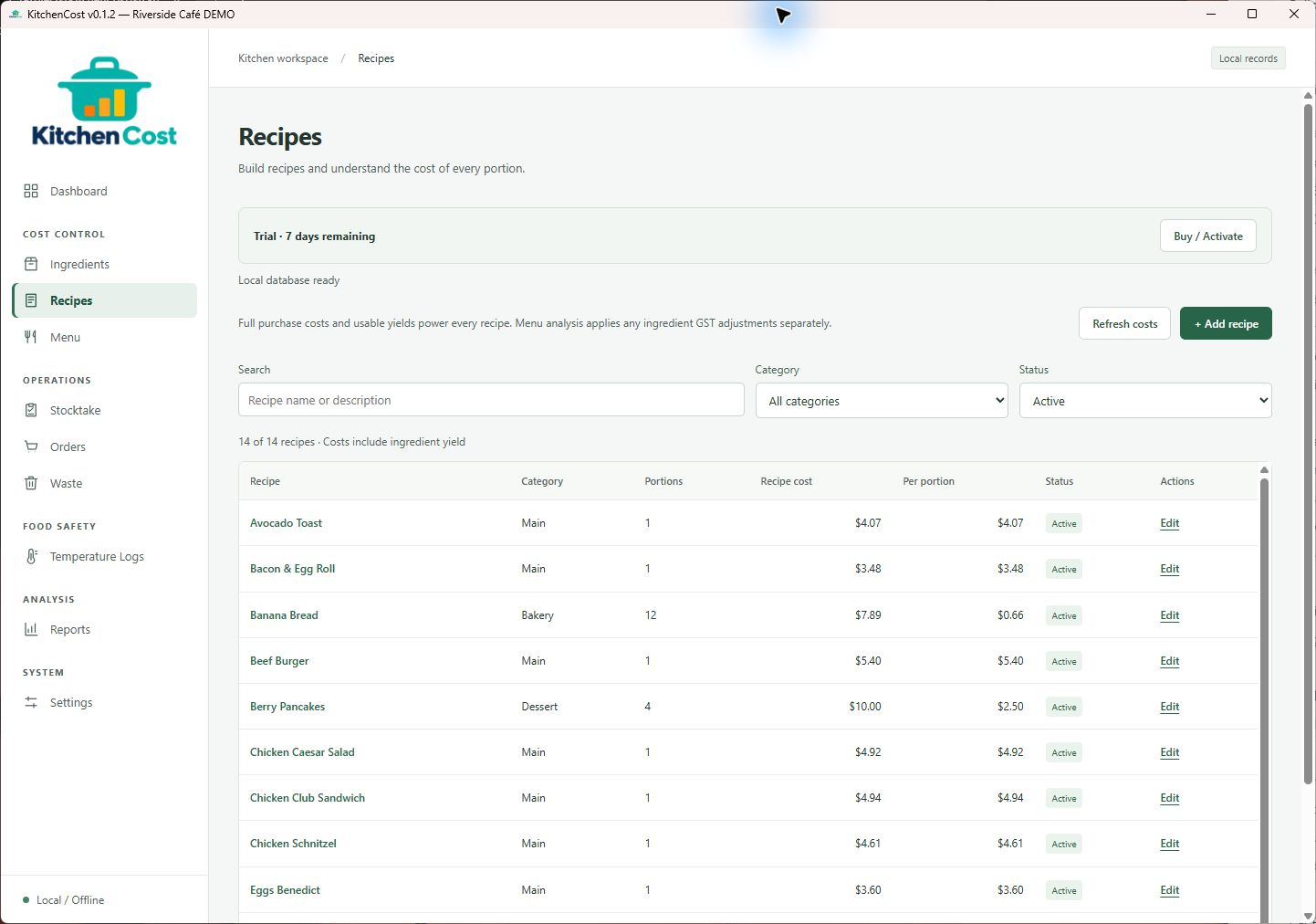
Recipe library
Fourteen Riverside Café recipes show batch costs and cost per portion, from breakfast favourites to lunch service.
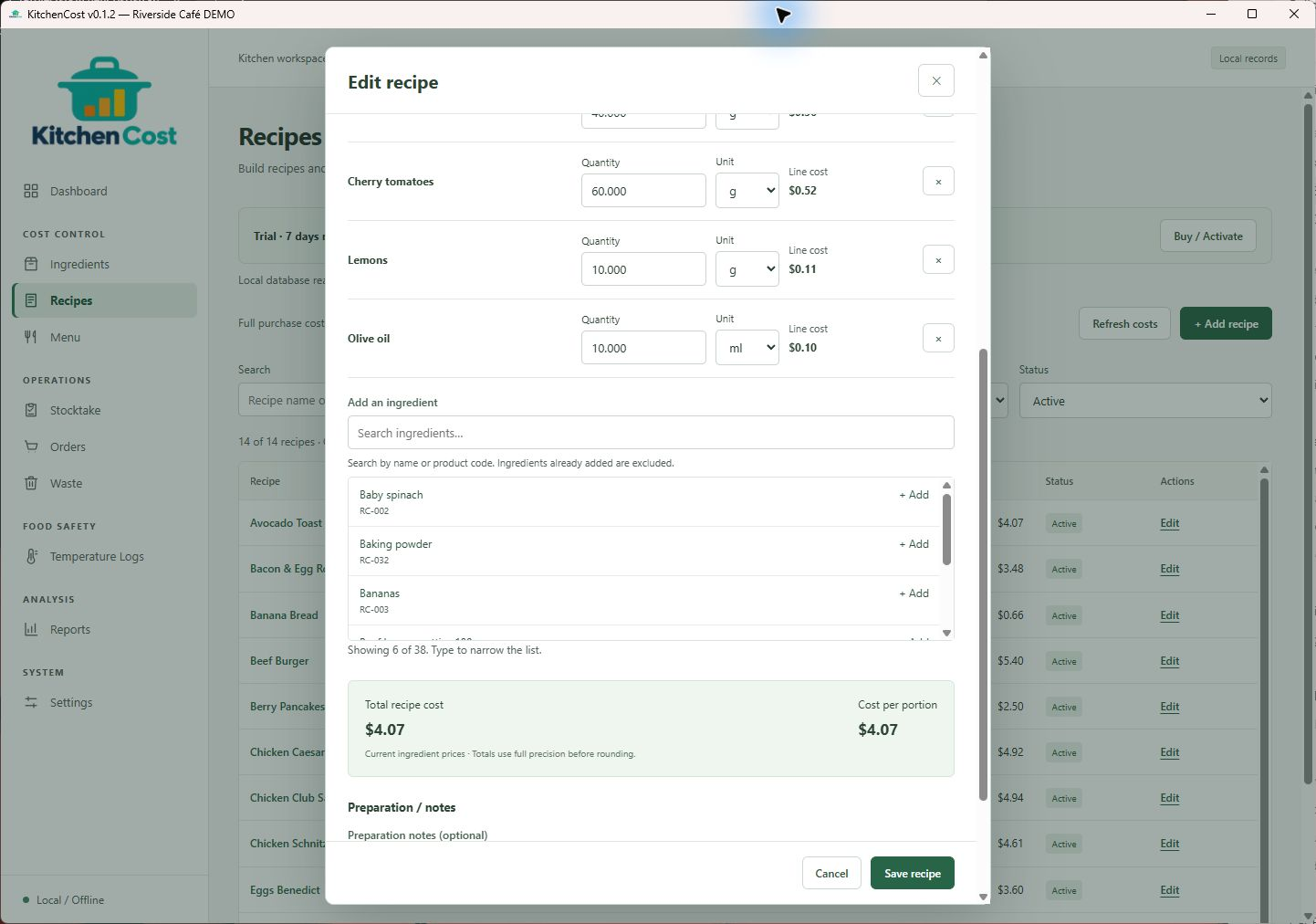
Recipe costing
Review ingredient quantities and each line’s contribution before choosing a selling price. Costs are calculated from the saved ingredient records.
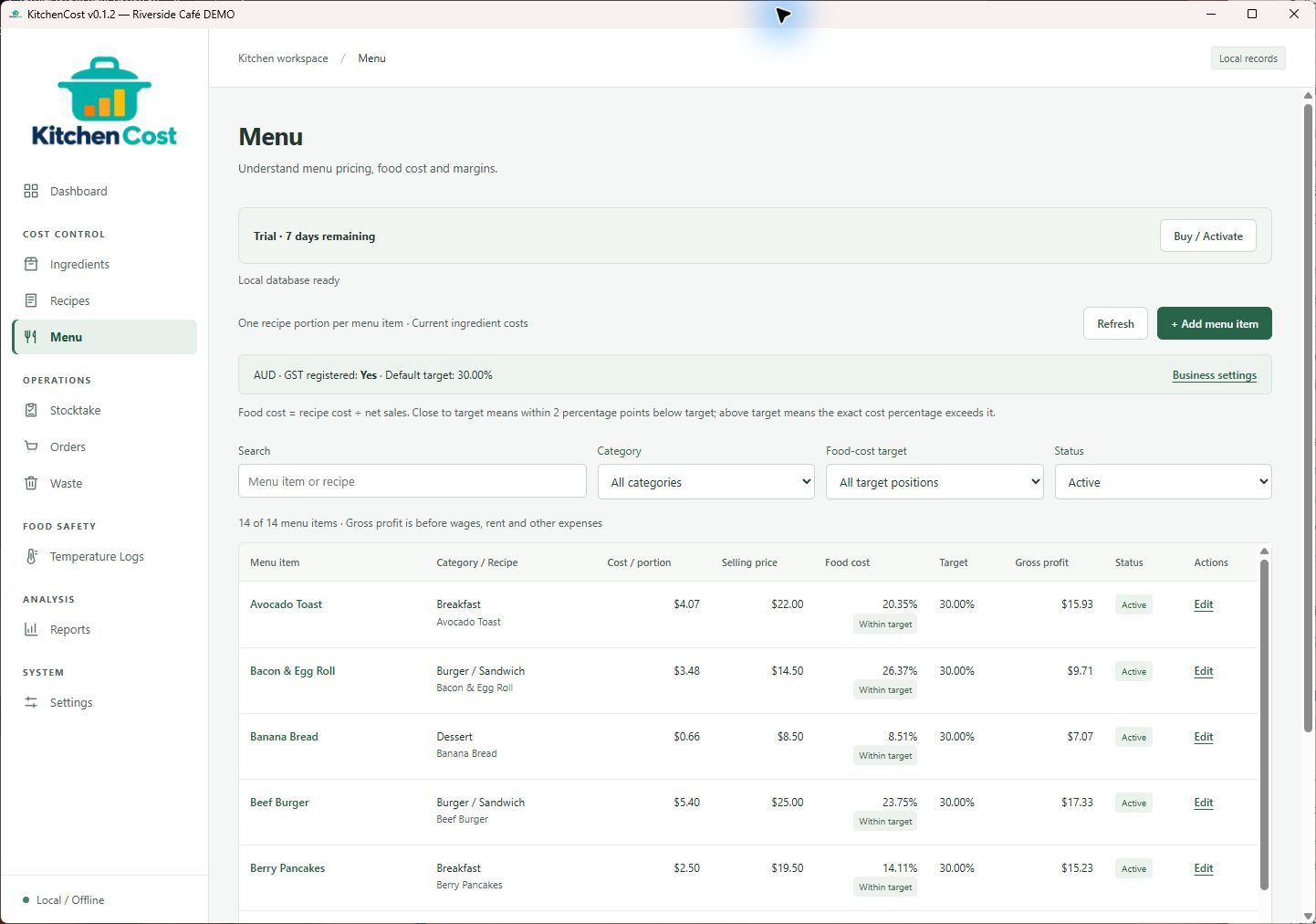
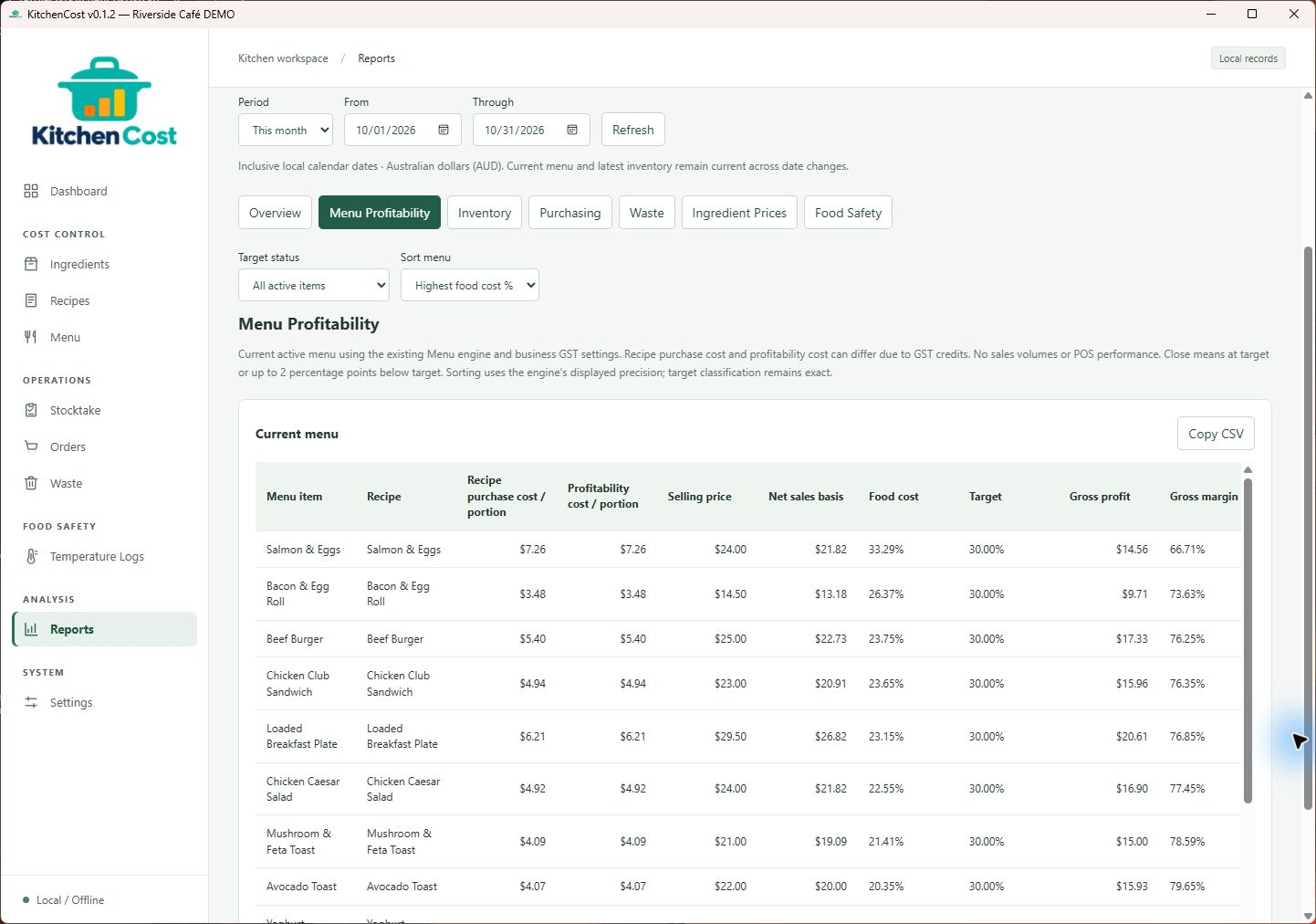
Menu profitability
Compare food-cost percentages with your targets and review gross profit. Gross profit is not net business profit: labour and overheads still matter.
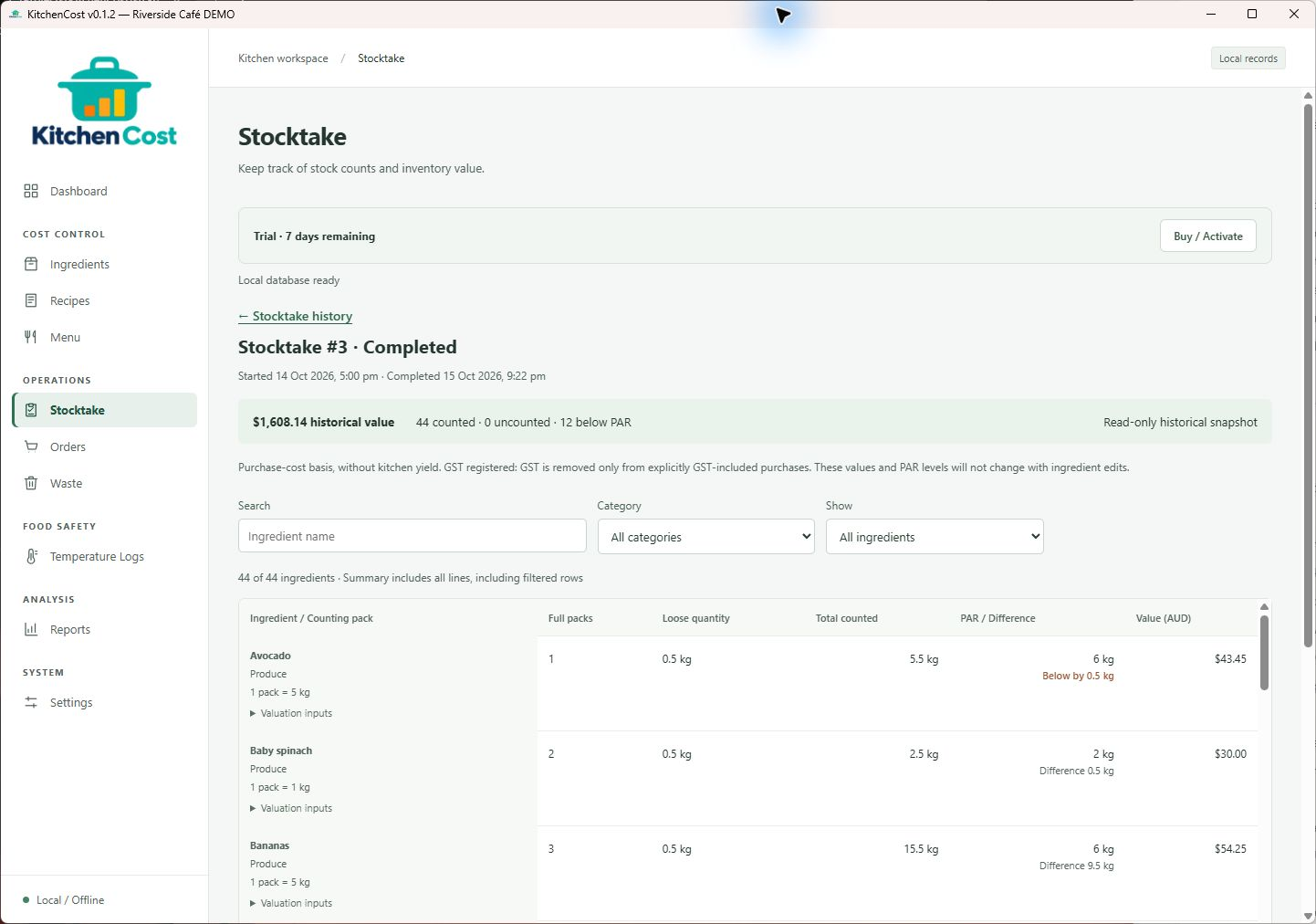
Stocktake
Record full packs and loose quantities, then review counted inventory value and ingredients below PAR. A stocktake is a snapshot, not a live stock balance.
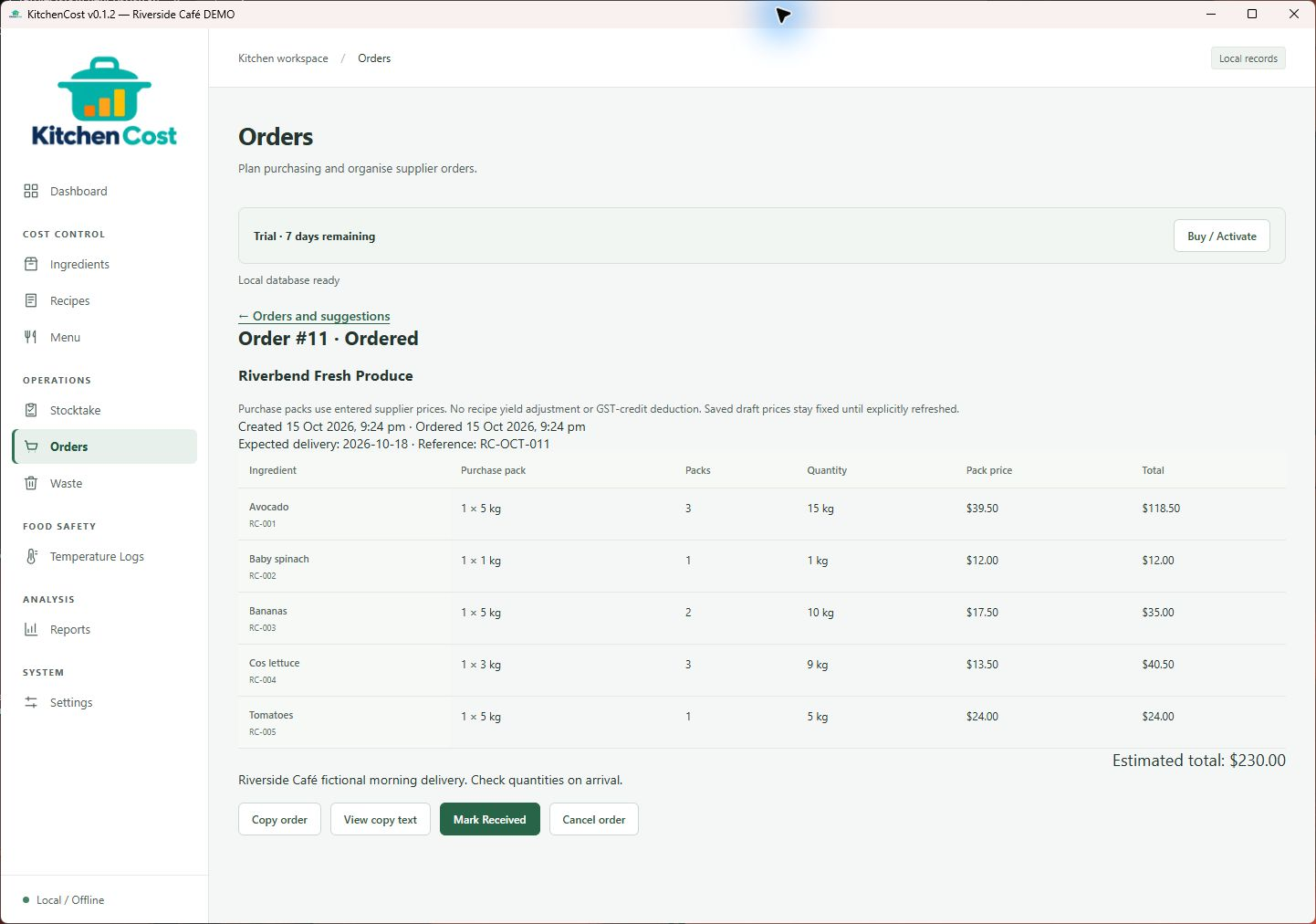
Supplier orders
Keep supplier orders, pack quantities and estimated totals in one place. Follow draft, ordered and received records alongside your ingredient list.
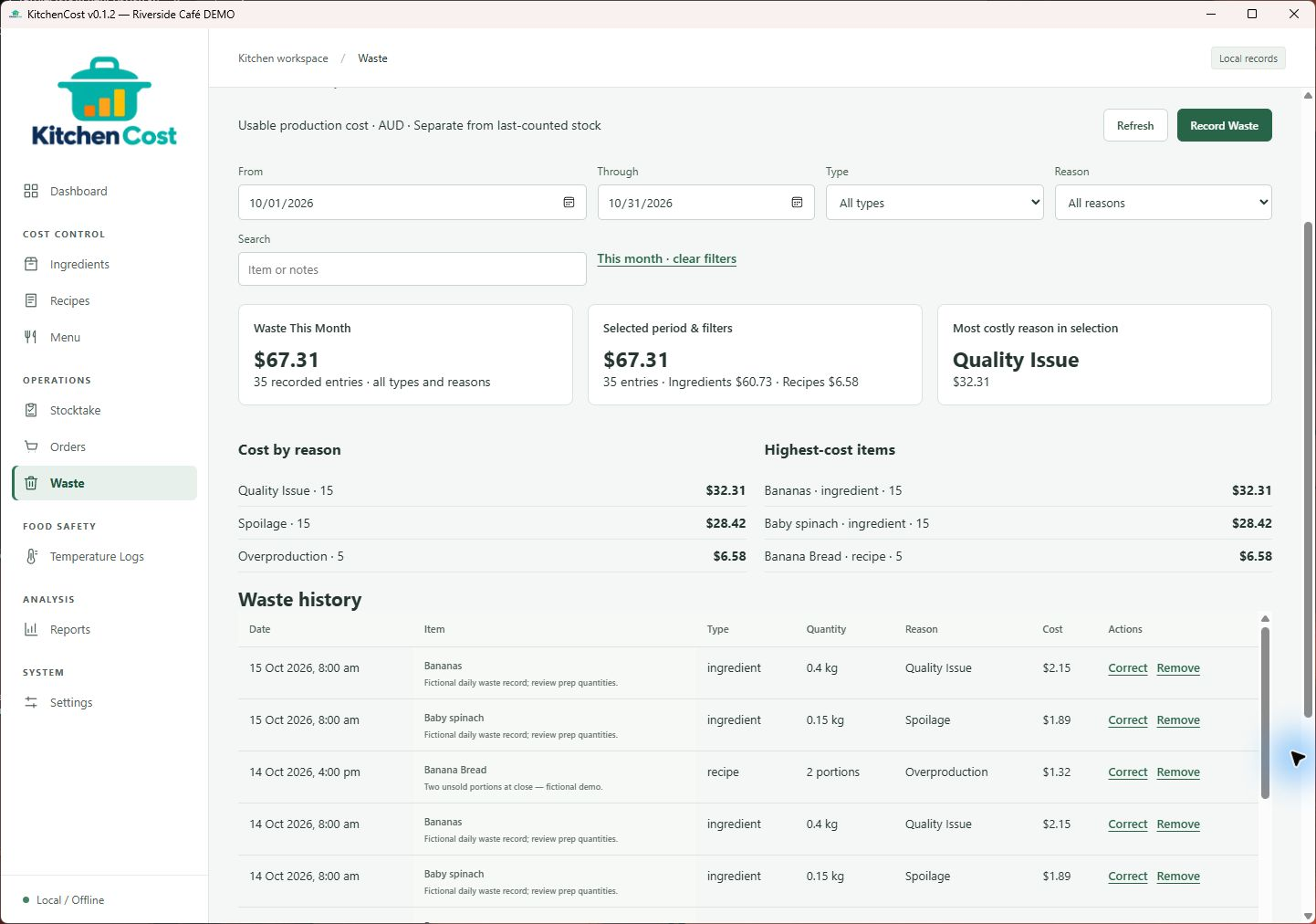
Waste tracking
Log ingredients or prepared portions with a reason and cost. Review patterns in the records to inform your preparation decisions.
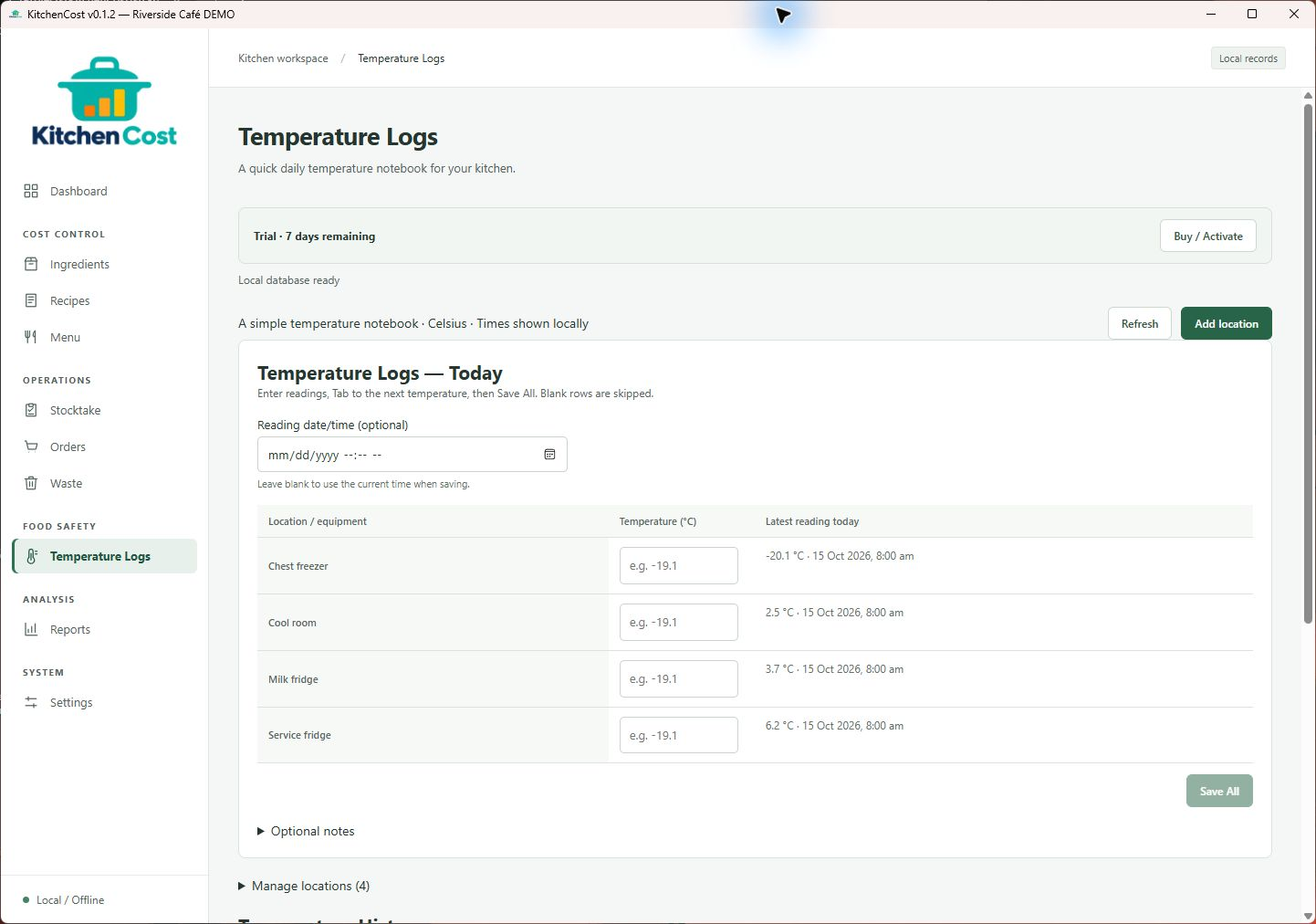
Temperature logs
Record storage temperatures and review outside-target readings and corrective actions. Logs support your routine; they do not establish food-safety compliance.
Operational reports
Explore menu profitability, counted inventory, purchasing, waste, ingredient prices and temperature records in the available report tables.
From cost control to closing time
Keep ingredient purchase prices and supplier information together. Build recipe costs from your ingredient records.
Calculate recipe totals and cost per portion, so you can understand what goes into each dish.
Review menu pricing against food-cost targets and see gross profit. These figures help inform pricing decisions; they are not net business profit.
Count stock and review inventory valuation to understand what is on hand.
Create and manage supplier orders alongside your ingredient and supplier records.
Record kitchen waste and review its cost as part of day-to-day operations.
Keep temperature readings in your kitchen workflow. Recording temperatures does not by itself establish food-safety compliance.
Review recorded costs and kitchen activity through operational reports.
Keep kitchen records locally and use the backup tools to protect your work. Back up before installing updates.
A useful place to start
Install KitchenCost on your Windows computer and explore it with your kitchen’s information.
Simple pricing
Try KitchenCost for 7 days on your Windows computer, then buy a license when you’re ready to continue.
Purchase through Lemon Squeezy. The checkout is configured to send license information and a receipt by email after a successful purchase.
KitchenCost · Windows x64
One-time payment
You’ll continue to Lemon Squeezy. Review the final total, taxes and applicable purchase terms at checkout.
Try it first — download the 7-day trialFrom purchase to your first licensed session
Try KitchenCost on your Windows x64 computer before paying. The installer is freely available; purchasing provides the license for continued editing after the 7-day trial.
Choose the A$149 one-time lifetime license. Check the KitchenCost product name, AUD currency, final total and applicable terms before paying.
Buy KitchenCost — A$149 →After a successful purchase, check the email address used at checkout for your receipt and license key. Keep the key safe. If it is missing, check junk mail or contact us before purchasing again.
Download and run the v0.1.2 Windows x64 installer. Already using the trial? Continue with that installation. Back up your kitchen data before updating.
Download the Windows installer ↓Open Settings → License, enter your License key, then select Activate License while online. Confirm the status shows Licensed. The dashboard’s Buy / Activate button also opens these settings.
The v0.1.2 release advertises up to two device activations. Questions about a key or device limit? Email hello@cherosmilda.com.au. Never send payment card details or your full license key by email.
Before you get started
KitchenCost is designed for independent cafés and restaurants that want to manage food costs and everyday kitchen operations.
KitchenCost v0.1.2 is a Windows x64 desktop application. It is not a browser, Mac or mobile application. Try it on your intended Windows computer before purchasing.
Download the Windows x64 installer directly and open KitchenCost to evaluate it for 7 days. No payment or card details are needed to download or start the application trial. After the trial, activate a license to continue making changes; your existing records remain available. Reinstalling or updating does not start a new trial.
After purchase, check your purchase email for the license key. Open KitchenCost → Settings → License, paste the key into License key, and select Activate License while connected to the internet. Confirm that the status shows Licensed. The dashboard’s Buy / Activate button also opens license settings. If the key is missing or activation fails, email hello@cherosmilda.com.au; do not purchase again.
The installer is available without payment or GitHub sign-in through every download button on this website. You can use the same installer before or after purchase; activate the application with your license key. Keep this website’s download link if your purchase email does not include it.
For product, license delivery, activation or refund enquiries, email hello@cherosmilda.com.au. No discretionary refund period, guaranteed response time or lifetime support entitlement has been confirmed. Review the applicable checkout terms and your statutory rights before purchasing.
The advertised license is a one-time lifetime license, with up to two device activations supported in v0.1.2. See the checkout and applicable license terms before buying. A lifetime license is not a promise of lifetime support or all future major-version updates.
Kitchen records are stored locally. Live license activation and validation use Lemon Squeezy and require connectivity. This site does not promise that every function works without internet access.
Use the download button for the public v0.1.2 Windows installer. Existing v0.1.1 users can upgrade; back up your kitchen data before updating.
Yes. All ten screenshots show the actual KitchenCost v0.1.2 Windows application, running with a separate fictional Riverside Café database. Select an image to view the original PNG at full size.
Email hello@cherosmilda.com.au. Review the total and applicable terms in the Lemon Squeezy checkout before purchasing.
Cherosmilda Tools
Product questions, licensing or help getting started.